
Useful (and Guilt-Free) Internet Activities for Kids This Summer
The end-of-school bell has rung, the backpacks are thrown in the closet, and a collective sigh of relief has echoed across the neighborhood. Summer is finally here!
But let’s be honest: along with the excitement of summer break comes the inevitable parent dilemma—the screen time battle. It is incredibly easy for kids to slip into a rhythm of mindlessly scrolling video feeds or binging hours of unboxing videos. But what if we didn’t treat screen time as the enemy? What if we channeled that digital energy into something productive?
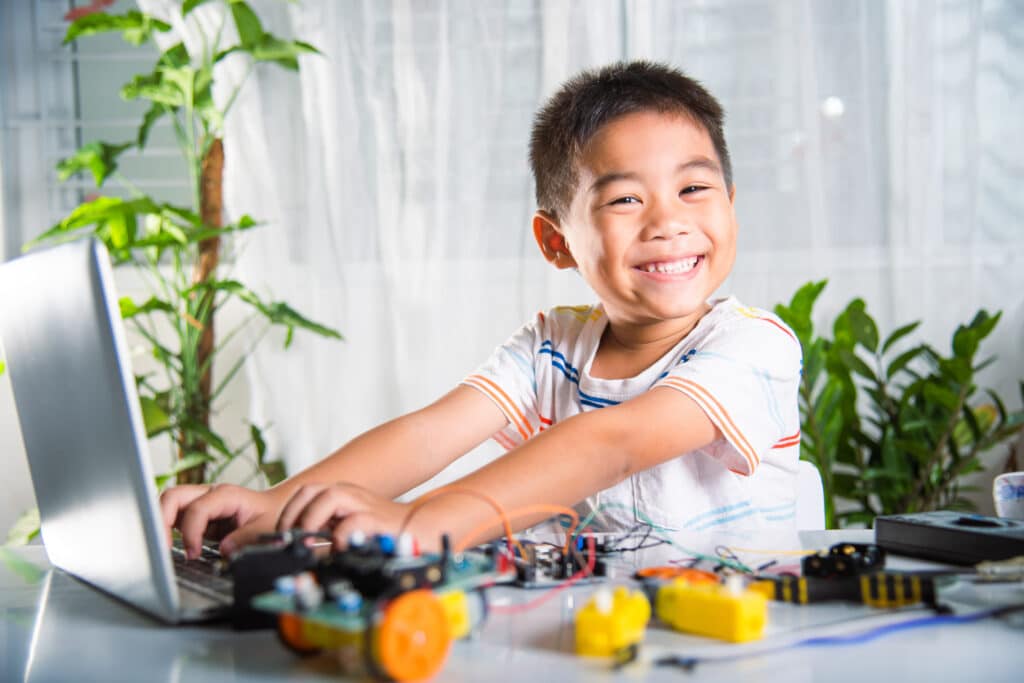
The internet isn’t just a digital playground; it’s a massive global workshop. This summer, let’s challenge our kids to move from consumers to creators. Here are some of the most useful, highly engaging, and entirely free things your kids can do on the internet that will actually build real-world skills.
1. The Creators: Digital Art, Audio, and Video
Instead of just watching other people create content, your kids can easily learn the mechanics behind how modern digital media is made. These tools teach patience, spatial awareness, and storytelling.
Canva for Kids
- The Vibe: Graphic design made incredibly easy.
- What they can do: Canva is a powerhouse visual tool. Instead of scrolling, challenge your child to design a custom wallpaper for their tablet, a printable sticker sheet, a vision board for their summer goals, or even a menu for a fake restaurant. It’s highly visual and naturally teaches layout, typography, and color theory.
CapCut or Descript
- The Vibe: Intuitive, modern video editing.
- What they can do: Video editing forces kids to look at media through a critical lens. Encourage them to take a few short video clips from a family walk, a pet playing, or a backyard baking project, and edit them into a 60-second “mini-vlog.” They’ll learn how to add music, use jump cuts, and overlay text—shifting them entirely into the producer’s seat.
BandLab
- The Vibe: A free, cloud-based music studio.
- What they can do: If your child loves music, BandLab is a goldmine. It works right in a web browser or on a tablet. Kids can drag and drop thousands of royalty-free loops (drums, bass, synths) to mix their own video game soundtrack, lo-fi beats for studying, or a theme song for an imaginary movie.
Parent Pro-Tip: Host a “Friday Night Film & Art Festival.” Let the kids cast their edited videos, custom music tracks, or graphic designs onto the living room TV so they can show off what they built during the week.
2. The Future Techies: Coding, Logic, and Game Design
If your child loves video games, don’t fight it—upgrade it. Coding is the ultimate exercise in persistence because fixing “bugs” requires troubleshooting, critical thinking, and immense problem-solving skills.
Scratch (Ages 8–16)
- The Vibe: MIT’s brilliant, free block-based coding platform.
- What they can do: Instead of typing complex text code where a single missing semicolon ruins the whole project, kids snap together visual blocks like digital LEGOs. They can create animations, interactive greeting cards, or their own arcade games. It teaches the absolute fundamentals of logic (like “if/then” statements and loops) without the frustration of keyboard typos.
Tinkercad
- The Vibe: 3D design and electronics simulation by Autodesk.
- What they can do: Tinkercad allows kids to design 3D objects (like a custom keychain, a spaceship, or a dream mansion) using basic geometric shapes. It also features a “Circuits” sandbox where kids can virtually wire up LEDs, resistors, and batteries to see how electricity flows—completely safely, with zero risk of frying real electronics.
Roblox Studio or Minecraft Modding (Ages 10+)
- The Vibe: Going behind the curtain of their favorite games.
- What they can do: If your kid is already obsessed with these platforms, challenge them to build the world rather than just play in it. Using free YouTube tutorials, they can learn how to write basic scripts (Roblox uses a language called Lua; Minecraft uses Java) to design custom game maps, unique mini-games, or custom items.
3. The Hybrid Builders: LEGO Blueprints and “How-To” Challenges
One of the absolute best ways to make screen time useful is when the internet serves as a launchpad for offline, hands-on creativity. If you have a bin of random, miscellaneous LEGO bricks sitting in a closet, these digital resources will give them a whole new life.
Brickit (App & Website)
- The Vibe: Pure digital magic for LEGO lovers.
- What they can do: You scatter a pile of random LEGO bricks on the floor and take a photo of them through the app. Brickit uses AI to instantly analyze the pile, count the pieces, and give your child a list of dozens of unique things they can build with the exact bricks they have, complete with step-by-step instructions. It removes the “I don’t know what to build” excuse entirely.
Rebrickable
- The Vibe: The ultimate database for custom, fan-made LEGO creations.
- What they can do: If your kids are bored of building the official sets according to the box, Rebrickable allows users to upload “MOCs” (My Own Creations). Kids can type in a set number they already own, and the site will show them “Alternate Builds”—completely different things they can make using only the pieces from that specific set.
BrickLink Studio
- The Vibe: Digital CAD software, but entirely made of LEGO.
- What they can do: For older kids or budding engineers, this free desktop program lets them build completely virtual LEGO models on the computer with an unlimited inventory of parts and colors. Once they finish building their masterpiece digitally, the software can automatically generate a custom step-by-step instruction booklet for them.
Parent Pro-Tip: Give them a daily “Brick Challenge.” Look up a basic concept online—like “build a working catapult” or “design a futuristic spaceship”—and give them 30 minutes to search for ideas online and execute it with real bricks.
How to Set Them Up for Success
To keep this from feeling like “summer school,” try framing these activities as weekly challenges rather than strict digital chores.
- Focus on Project Goals: Instead of giving them a strict digital time limit, try giving them a goal. Tell them: “You can have your tech time today, but by Friday, I want you to show me one cool thing you built, coded, or designed from scratch.”
- The 1:1 Rule for Hybrid Building: For the LEGO and crafting categories, try implementing a 1:1 rule. For every 20 minutes they spend looking up instructions or planning a design on the screen, they spend 20 minutes building it physically on the floor.
You might be surprised by just how focused, creative, and proud they become of what they can build when given the right tools. Happy creating!